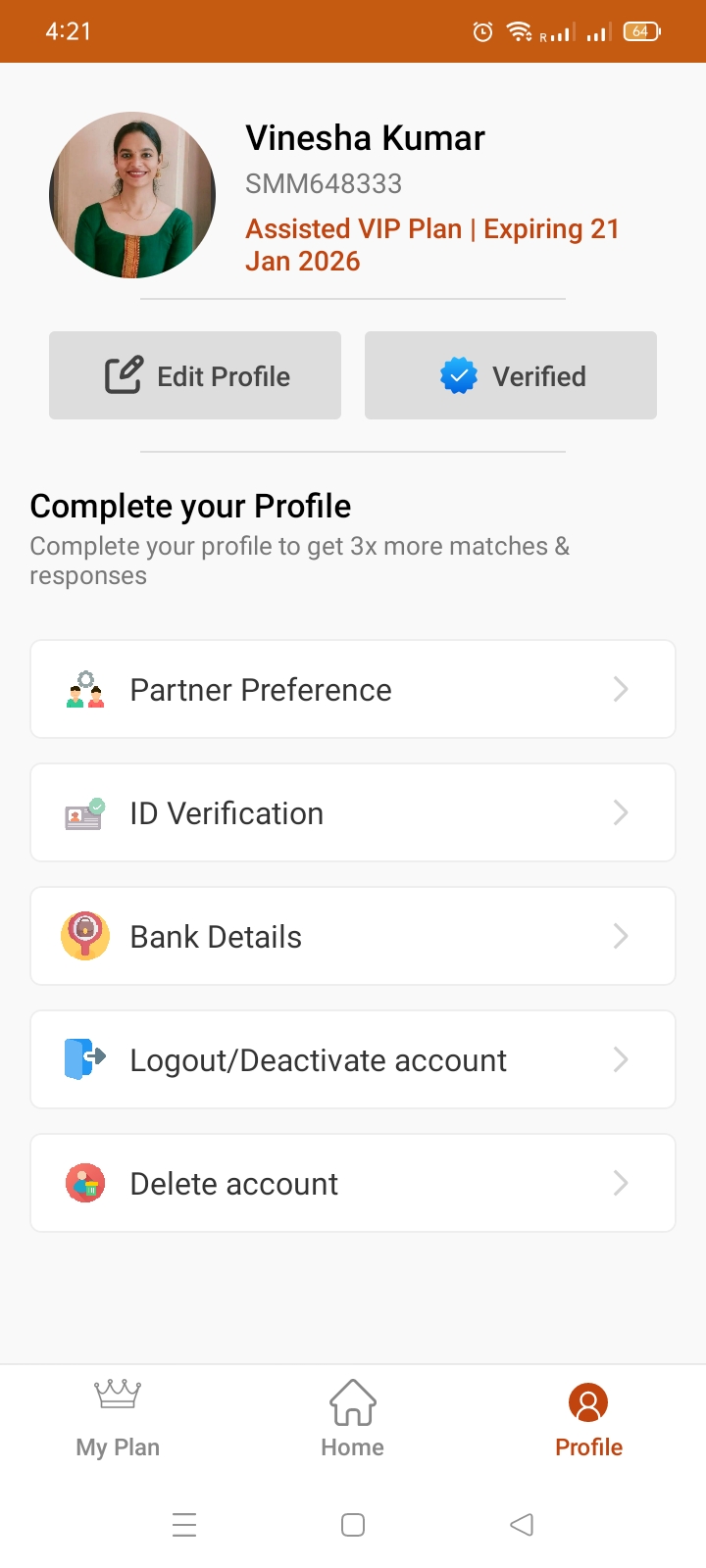
Deleting your account will permanently remove your profile and all associated data from the Sivin Matrimony app. This action is irreversible and cannot be undone.
Steps to Delete Your Account
Open the Sivin matrimony Matrimonial App.
Tap on My Profile from the home screen.
Scroll down and select Delete Account.
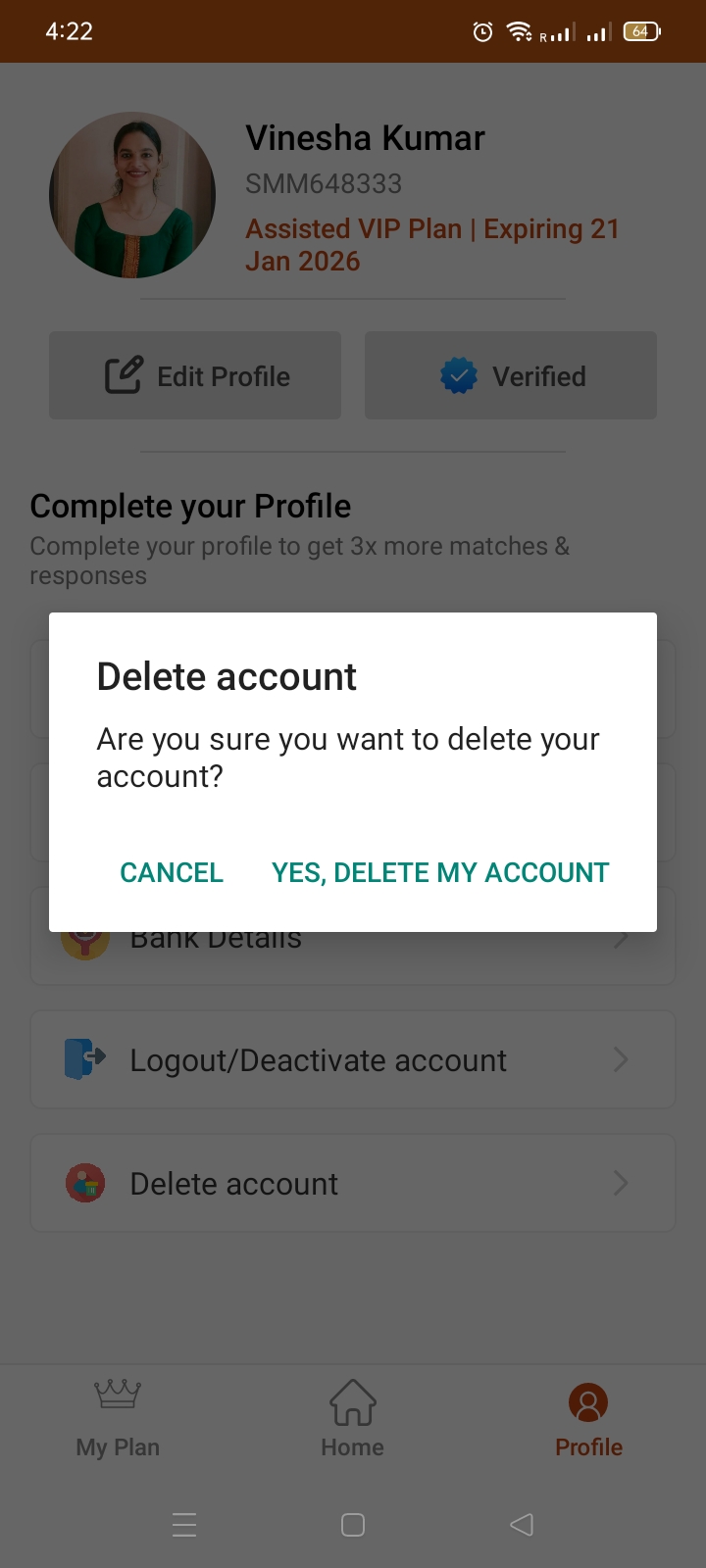
A confirmation popup will appear. Read the message carefully and
CHOOSE :
CANCEL – to keep your account
YES, DELETE MY ACCOUNT – to delete your Account
Your personal profile details will be permanently removed from our platform.
All matches, interests, and activity history will be deleted.
Your profile will no longer be visible to other members.
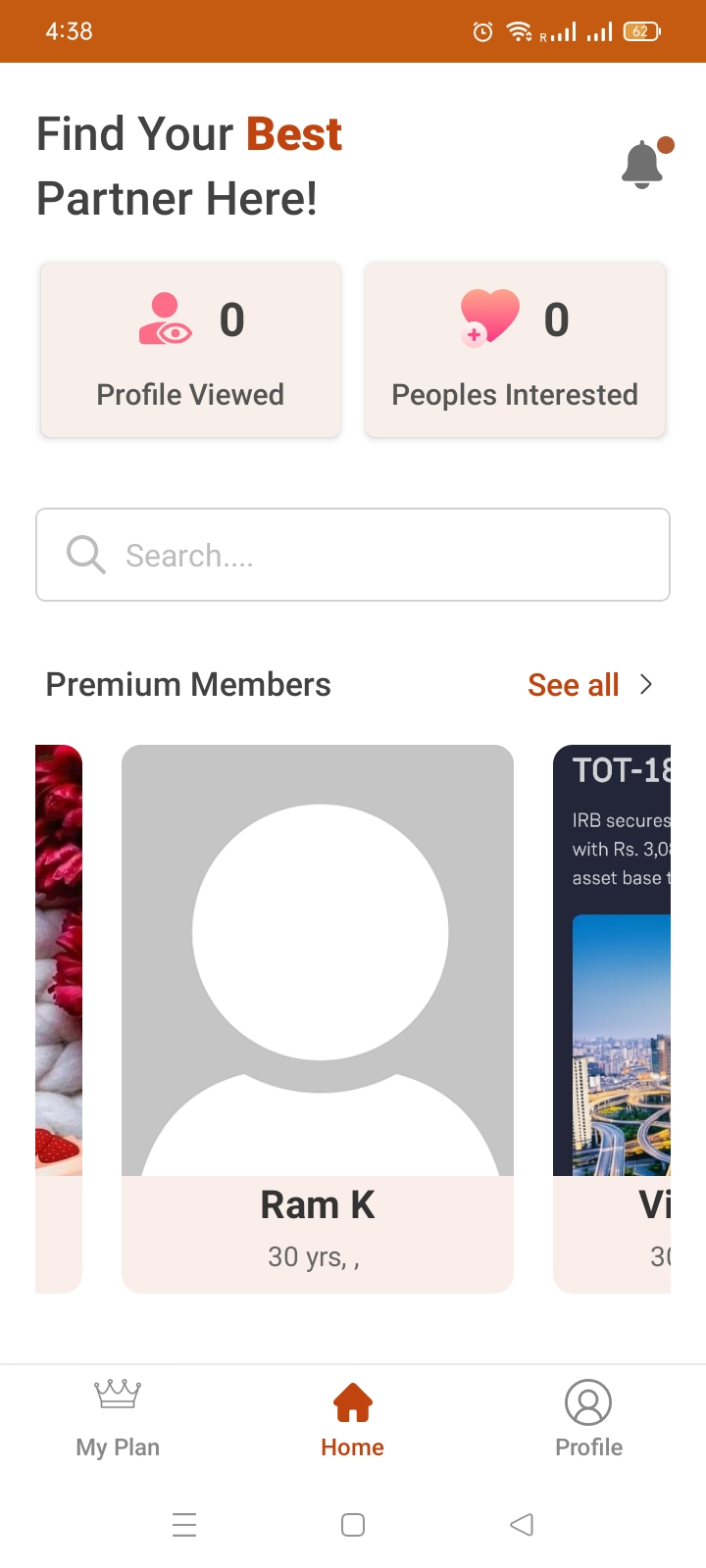
You will be logged out immediately after deletion.
This action is permanent and cannot be undone.
To use the app again in the future, you will need to create a new profile.
Deleting your account is permanent.
Your data cannot be restored once deleted.
Confirm your decision carefully before proceeding.
For any issues, please contact Support before deleting.
If you are deleting your account due to a problem or concern, we recommend contacting Support first. We’re happy to help resolve issues.